Tech blog
Installing Authentik and Putting My Homelab Services Behind It

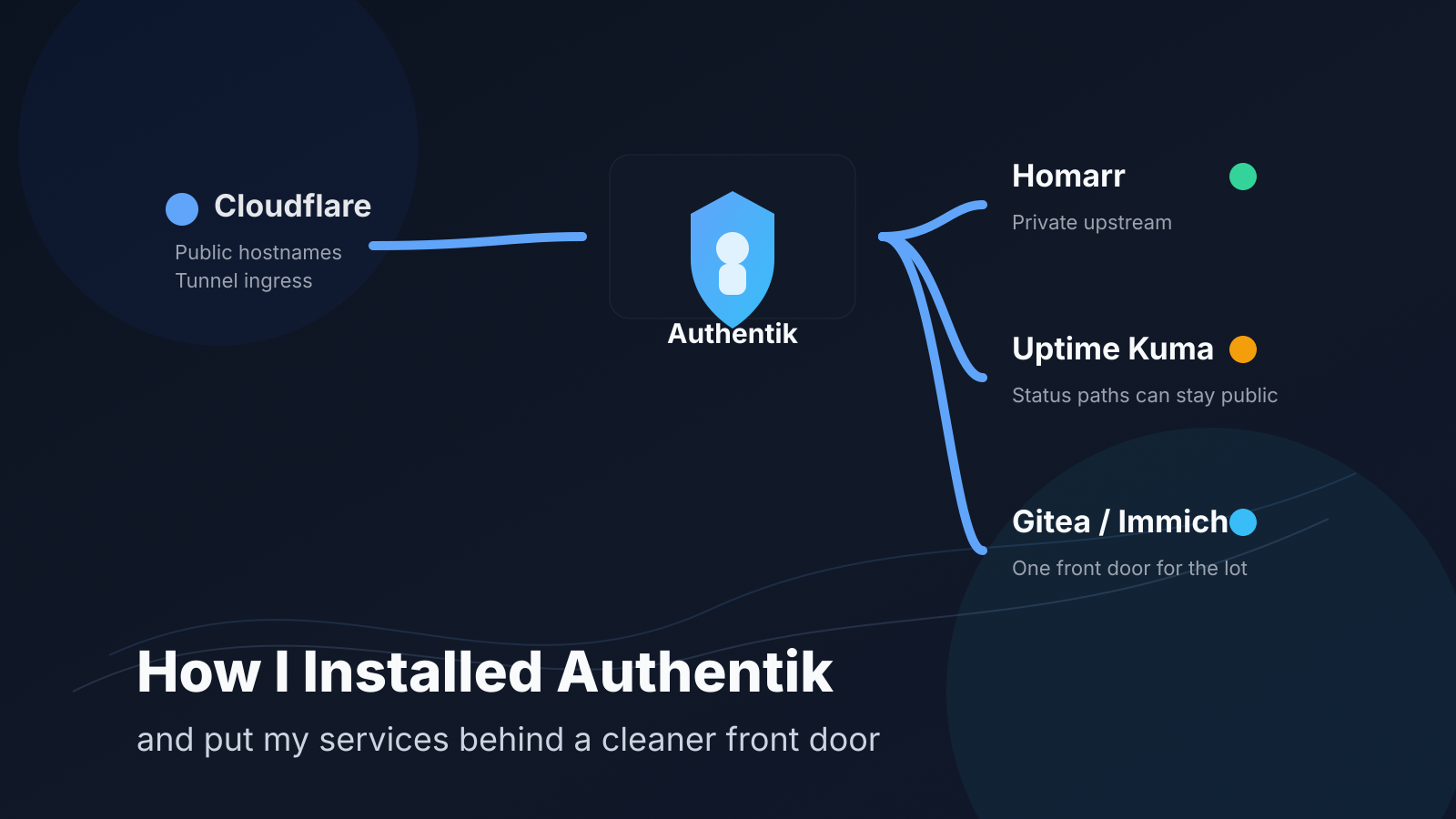
I finally got around to doing something I should have done a while ago: putting a proper front door in front of the self-hosted services I actually care about.
For a long time, my setup worked, but it was messy. Some apps were public, some were only reachable internally, some lived behind random reverse proxy rules, and a few had their own local logins that I didn't really want to keep managing forever. It wasn't terrible, but it also wasn't the kind of setup that gives you confidence when you look at it six months later.
So I rebuilt that part of the stack around Authentik.
The goal was simple:
- one place to handle authentication
- fewer publicly exposed services
- cleaner access for internal dashboards and admin panels
- the option to keep selected paths public when I actually need them to be
- something I could keep expanding without reinventing the wheel every weekend
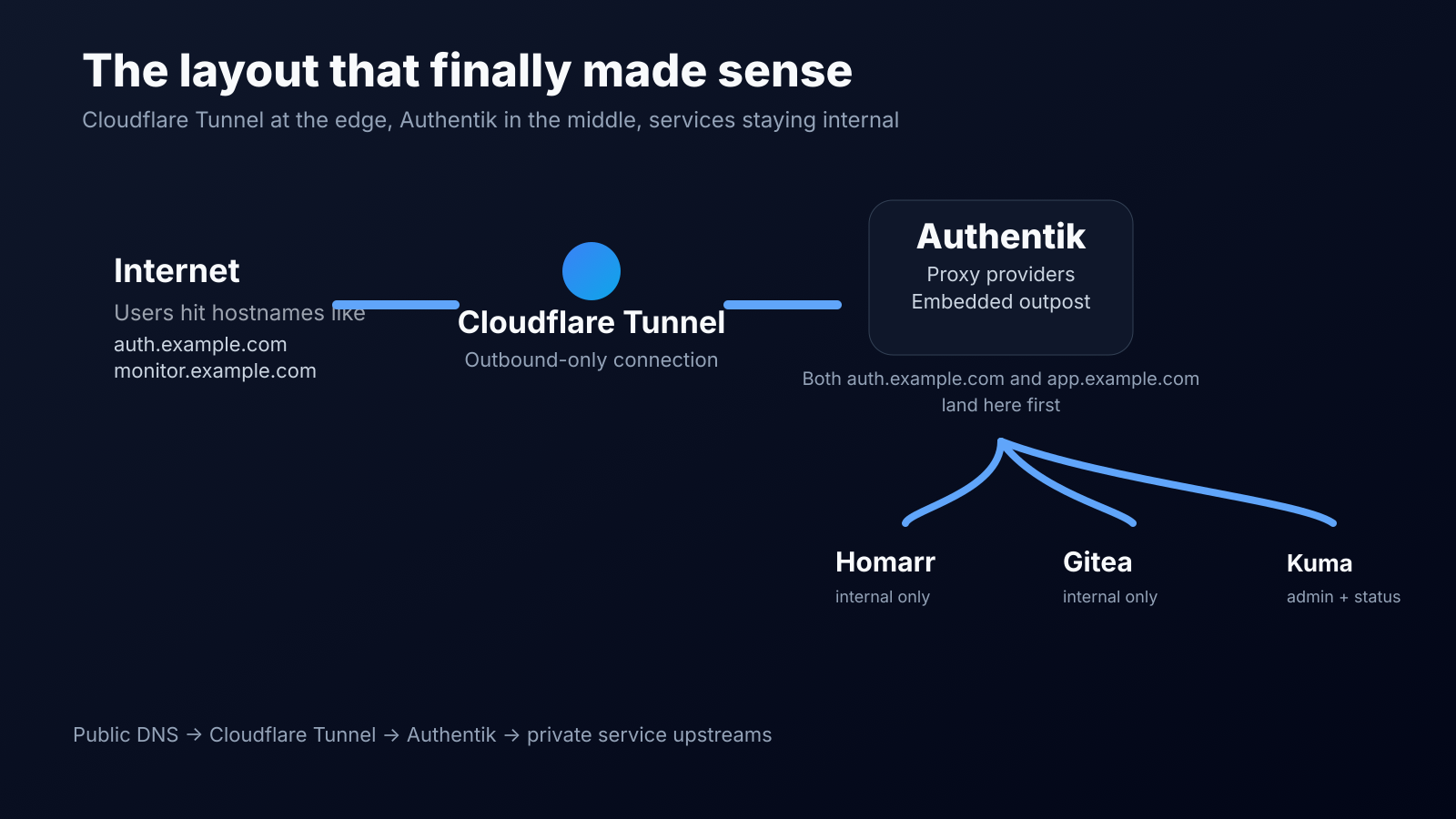
Cloudflare Tunnel handles the public edge, Authentik handles login and policy, and the services themselves stay internal.
Why I picked Authentik
I wanted something that felt at home in a self-hosted environment rather than something that constantly nudged me back towards a managed platform.
What sold me was that Authentik can be installed pretty cleanly with Docker Compose, supports proxy providers out of the box, and has an embedded outpost that removes a lot of the usual friction when you're fronting internal web apps. Once that clicked, the rest of the design got a lot simpler.
I also liked that I didn't need to throw every application directly onto the internet just to make it usable. Cloudflare Tunnel gave me the external entry point, while Authentik became the thing sitting in front of the apps I actually wanted to protect.
Nothing exotic here. I kept it straightforward:
- Authentik running in Docker Compose
- PostgreSQL and Redis as part of the stack
- Cloudflare Tunnel publishing the external hostnames
- Internal services sitting on private addresses
- Proxy providers in Authentik for the apps I wanted to protect
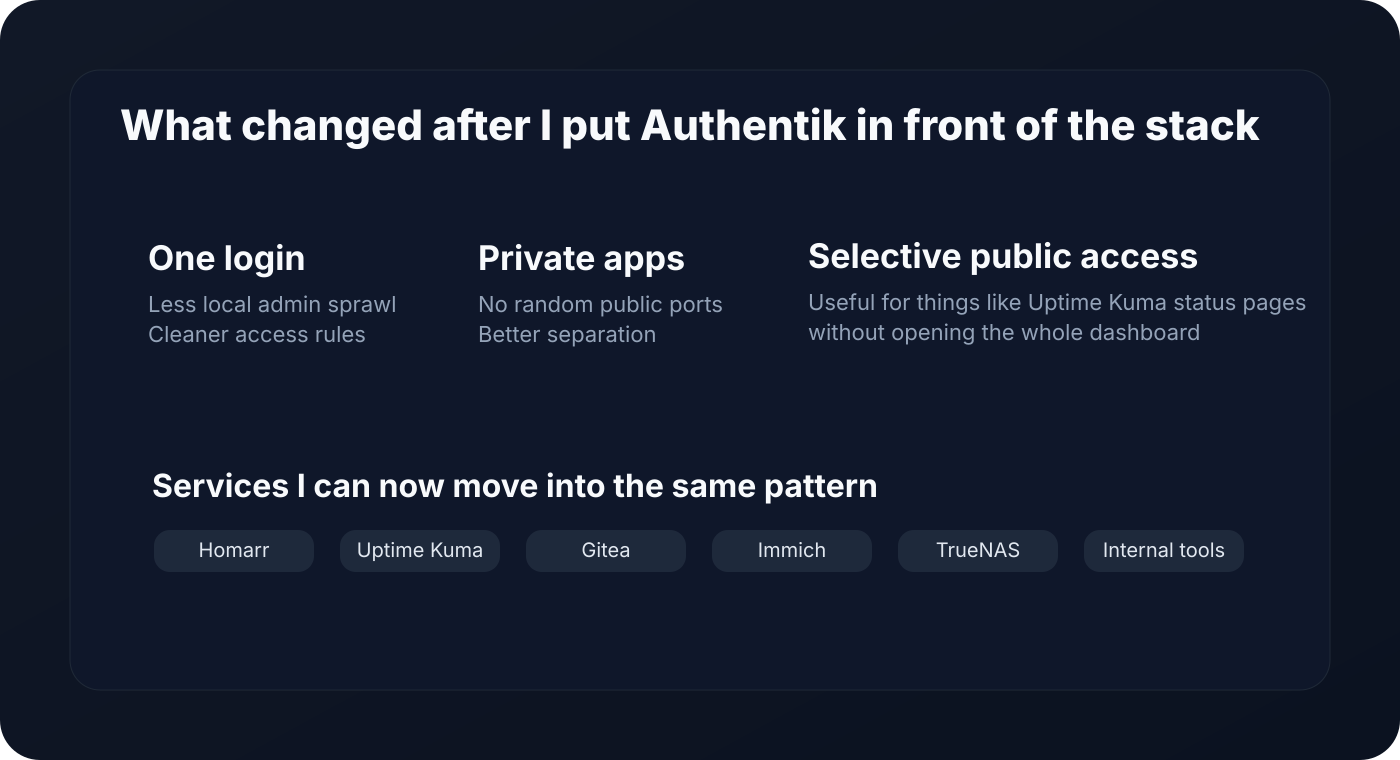
Installing Authentik
I went with the Docker Compose route because it is fast, easy to reason about, and perfectly fine for a small production-style homelab setup.
The rough flow was:
- Download the current compose.yml
- Generate the PostgreSQL password and Authentik secret key
- Bring the stack up
- Run the browser-based initial setup flow
- Create the first admin account and start wiring apps into it
wget https://docs.goauthentik.io/compose.yml
echo "PG_PASS=$(openssl rand -base64 36 | tr -d '\n')" >> .env
echo "AUTHENTIK_SECRET_KEY=$(openssl rand -base64 60 | tr -d '\n')" >> .env
docker compose pull
docker compose up -d
Once the containers were healthy, I opened the initial setup flow and finished the first-run configuration from the browser.
What I liked: the install didn't ask me to invent a whole platform around it first. It was just a clean Docker Compose deployment, then the real work started in the Authentik UI.
I didn't want to forward a pile of ports or leave random web apps hanging out on my WAN IP. Cloudflare Tunnel was the obvious fit for that.
The key idea is simple: instead of exposing the origin directly, cloudflared creates an outbound-only connection to Cloudflare and publishes hostnames from there. That means the apps can stay on internal addresses.
For this setup, both of these public hostnames point to the Authentik server, not directly to the app:
- auth.example.com
- monitor.example.com
That part matters.
When using Authentik's embedded outpost, the request comes into the Authentik server and gets routed by hostname to the correct proxy provider. So rather than aiming monitor.example.com straight at something like http://192.168.69.182:3001, I aimed it at Authentik and let Authentik forward the request to the internal service after authentication.
tunnel: <TUNNEL-UUID>
credentials-file: /home/marius/.cloudflared/<TUNNEL-UUID>.json
ingress:
  - hostname: auth.example.com
    service: http://192.168.69.10:9000
  - hostname: monitor.example.com
    service: http://192.168.69.10:9000
  - hostname: dashboard.example.com
    service: http://192.168.69.10:9000
  - service: http_status:404
Once I switched to that model, the whole setup made a lot more sense.
How I actually protected the apps
For each service, I created a Proxy Provider in Authentik and pointed it at the internal service URL.
A simplified example:
- External host: https://monitor.example.com
- Internal host: http://192.168.69.182:3001
That gives Authentik the public-facing hostname users hit, plus the internal upstream it should proxy to once the request is allowed.
The nice bit is that it scales well. Once the pattern is in place, adding more apps is mostly repetition instead of invention.
Uptime Kuma is a good example because it has two completely different use cases:
- I want the admin UI protected
- I might still want the status page visible publicly
This is exactly where Authentik's unauthenticated paths become useful.
For Kuma, I allowed only the status-related paths through without login and kept the rest of the app behind Authentik:
^/status/.*
^/assets/.*
^/api/push/.*
^/api/badge/.*
^/api/status-page/heartbeat/.*
^/icon.svg
^/upload/.*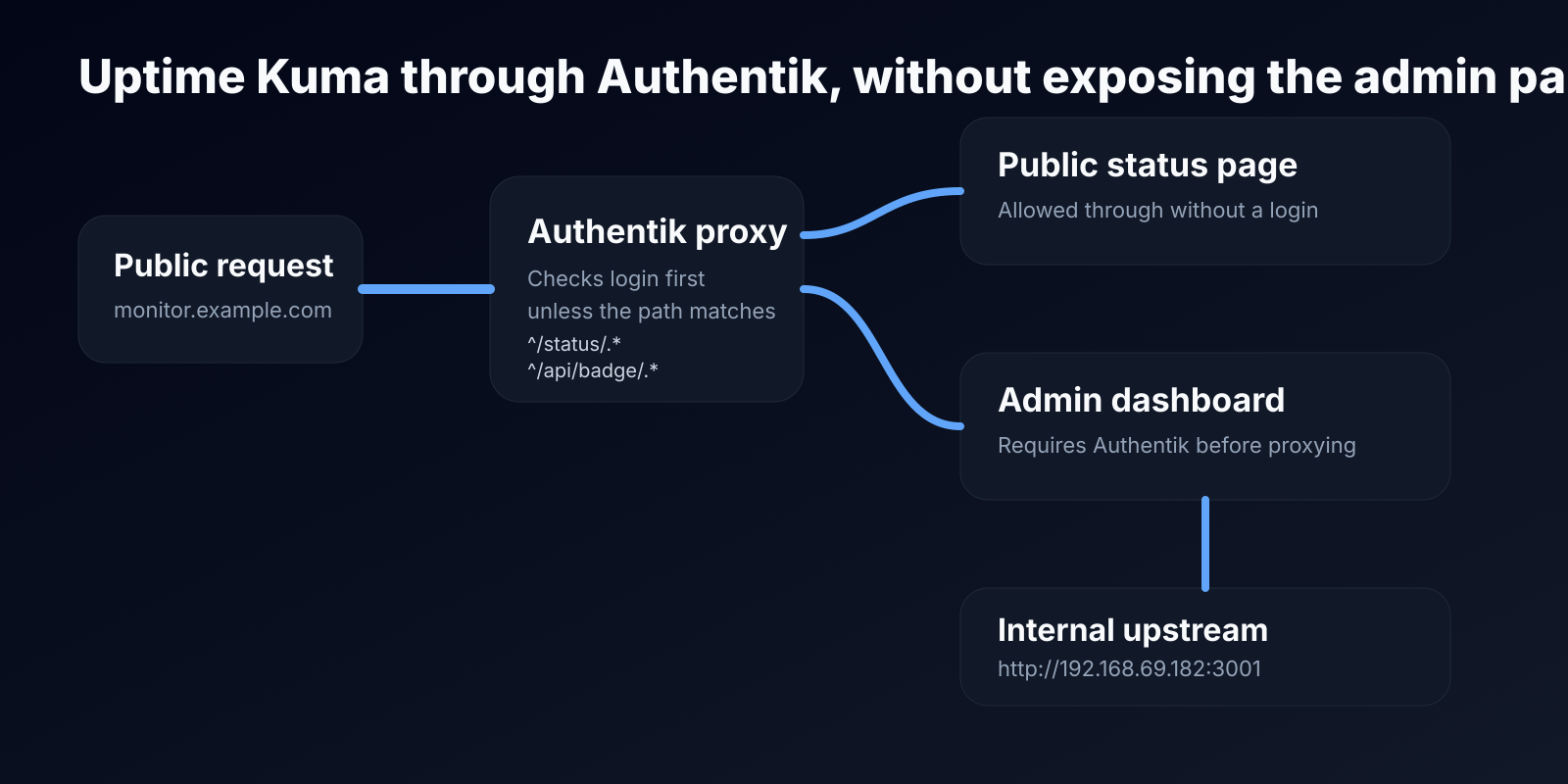
The biggest mistake to avoid
The easiest way to get confused is to point the public hostname directly at the internal application and expect Authentik to somehow still be in the middle.
If you want Authentik to protect the application through a proxy provider, the public hostname needs to land on Authentik's side of the stack, not directly on the app.
That was the moment where things stopped feeling magical and started feeling logical.
What I like about the setup now
The best part is not that it looks fancy. It's that it is easier to reason about.
Now when I add a new service, I already know the questions:
- does it need to be public or private?
- does it need a public status page but a private admin panel?
- is it better behind a proxy provider or native OAuth / OpenID Connect?
- what hostname should it live on?
- what group should have access?
That is a much better place to be than "why does this one container have a direct public port mapping again?"
It wasn't entirely plug-and-play.
- mixing up internal host and external host
- accidentally leaving direct app access available while testing
- forgetting that the embedded outpost is still tied to the Authentik server ports
- needing to think differently about apps that have some paths that should stay public
- dealing with the usual "this works internally but not through the hostname" troubleshooting loop
Sooo yeah...
I like self-hosting a lot more when the setup feels calm.
Not flashy. Not overcomplicated. Just clear.
Cloudflare Tunnel gave me a safe public edge. Authentik gave me a proper identity layer. Together they cleaned up a part of my homelab that had been gradually turning into a pile of exceptions.
And once I had the first few services working through it, I knew I wasn't going back.
Ингредиенты Libidex
Ингредиенты, входящие в состав Libidex,
представляют собой тщательно подобранную комбинацию эффективных природных компонентов, направленных на комплексное восстановление мужской силы и уверенности в себе.
Каждый элемент – от известного афродизиака йохимбе
до адаптогенного растения женьшень и необходимых аминокислот – выполняет свою уникальную роль в улучшении
кровообращения, активизации
тестостеронового синтеза и поддержании здоровья репродуктивной
системы в целом. Взаимодействие этих веществ обеспечивает не только краткосрочные улучшения,
но и устойчивое увеличение потенции и сексуального желания.
libidex капсулы.
Ингредиенты Libidex
Ингредиенты, входящие в состав Libidex,
представляют собой тщательно отобранную комбинацию мощных
натуральных веществ, направленных на
восстановление мужской силы и уверенности.
Каждый элемент, начиная с популярного афродизиака йохимбе и заканчивая адаптогеном
женьшенем и необходимыми аминокислотами, играет ключевую роль в улучшении кровообращения, стимуляции
выработки тестостерона и поддержании нормального функционирования репродуктивной системы.
Синергия этих компонентов обеспечивает не только кратковременные повышения, но и долговременное улучшение потенции и сексуального
влечения. Либидекс простатит.
Guardium
Капсулы Guardium разработаны с использованием передовых биотехнологий.
В их составе содержится эффективная комбинация экстрактов растений, витаминов и активных биофлавоноидов, целью которой является полное уничтожение
паразитов на всех этапах их развития —
начиная с яиц и заканчивая взрослыми особями.Guardium отзывы
It's not a breeze having all the apps work flawlessly through the panel, but once you set it up, it's bliss! :D
you're not wrong